Loops By CDUB
- 3.5
- Rating
- 100.00K
- Installs
- Free
- Price
 Analysis by App-foxy
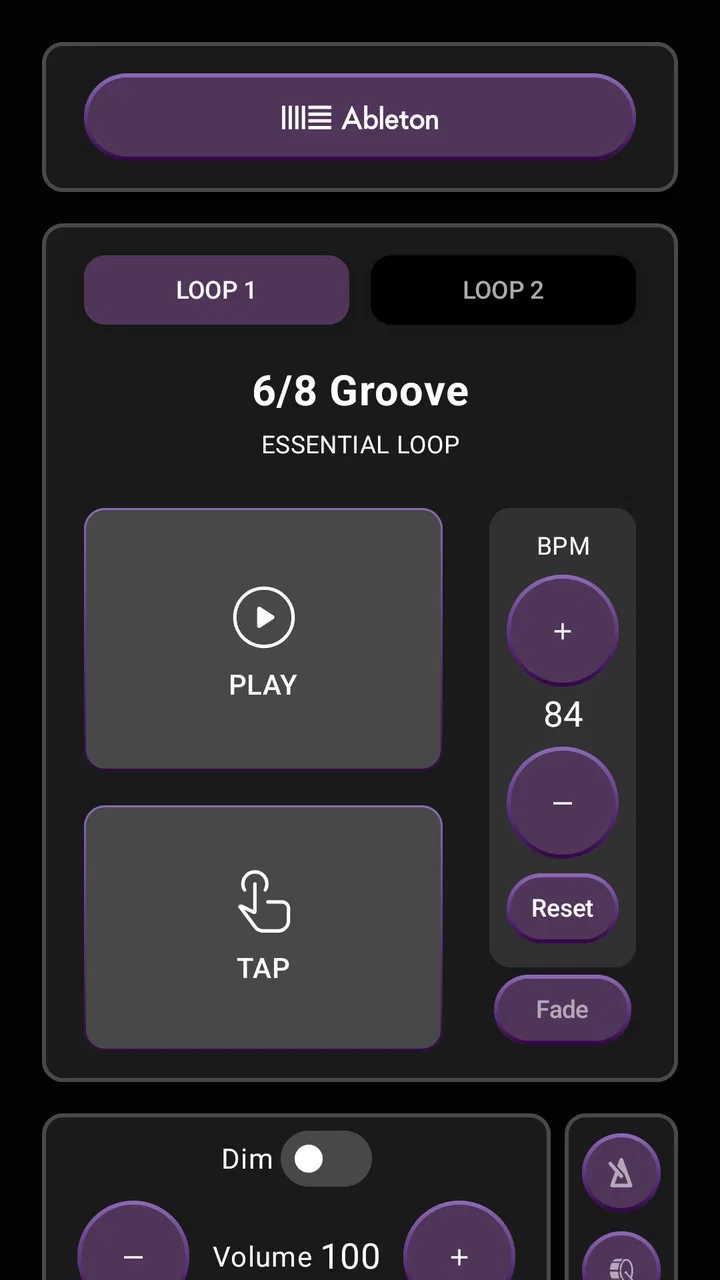
When I try a music app, I want to know more than whether it contains useful sounds. I also want to understand how much control I have, what I am being asked to do, and whether the workflow feels comfortable enough for regular creative work. Loops By CDUB caught my attention because it is built around gospel production rather than trying to be an all-purpose music library. The focus is on loops, stems, and tutorials, with the goal of helping musicians shape arrangements instead of merely pressing play.
In my experience, that focus makes it more interesting than a generic background-audio app. It feels aimed at producers, worship musicians, songwriters, beatmakers, and anyone who wants gospel-oriented material to work with directly. At the same time, it is not the kind of app I would recommend blindly to every listener. Its value depends on whether you actually want to build, practice, or study music. If you only need a passive streaming service, the usual music platforms are a better fit.
The app is free to install and is listed for Everyone, which makes it approachable for a broad audience. It comes from The C-Dub Brand, has passed the 100K+ install mark, and carries an average rating of 3.5 from around 500 ratings, alongside around 200 written reviews. Those figures suggest a real user base, but also a mixed experience rather than universal approval. I would treat it as a specialized tool worth testing, not as an automatic replacement for a full digital audio workstation.
You May Also Like

 Pandora - Music & Podcasts
Pandora’s Music Is Easy to Start, but Harder to Recover
Pandora’s strength is its low-effort path from a seed to a station. Its weak spot is how much confidence it asks you to place in connection, setup, and quiet recovery.

 AccuWeather: Weather Radar
AccuWeather Review: A Quick, Clear Forecast for Everyday Decisions
For everyday plans, the best forecast is the one you can understand quickly. AccuWeather makes rain timing, radar, and local conditions easy to act on, with a few trade-offs.

 Hill Climb Racing
Why Hill Climb Racing Still Turns Crashes Into One More Run
A tiny car, a bumpy hill and one more upgrade: Hill Climb Racing keeps resurfacing because its simple chaos makes every near-miss feel personal.

 AliExpress - Shopping App
AliExpress Makes Global Shopping Feel Personal, but Shoppers Bear the Risk
AliExpress turns a global marketplace into a pocket-sized discovery engine. Its reach is useful, its shopping loop compelling, and its trade-offs easy to miss.

 Lords Mobile: Kingdom Wars
Lords Mobile Is a Kingdom-Building Routine, Not a Quick Match
A case-by-case verdict on the building, battles, device demands, and social commitments that make Lords Mobile rewarding for some players and exhausting for others.

 PDF Scanner app - TapScanner
TapScanner Makes Paperwork Easier to Capture, Check, and Share
TapScanner makes scanning with a phone feel less like a rescue operation and more like a dependable step in getting work done. Its capture tools are useful, though not flawless.
More From Our News Desk
View All News


How the creative workflow feels in practice
I find the workflow most useful when I give each session one clear purpose: studying a part, testing an arrangement idea, or preparing for rehearsal. That keeps the app’s gospel-focused material from turning into aimless browsing and makes it easier to decide what I need from a loop, stem, or tutorial. With that baseline in place, I can make more deliberate choices about the settings and purchase prompts I encounter.
A focused library for gospel production
The strongest idea here is the combination of musical building blocks and learning material. A loop can help establish a groove quickly, while stems are more useful when I want to understand or rearrange the individual parts of a performance. Tutorials add a different layer: instead of simply borrowing a sound, I can use the material as a starting point for improving my own technique.
That combination changes how I approach the app. I would not open it only when I need a finished track. I would also use it during a practice session, perhaps listening to how a part sits inside a gospel arrangement before trying to recreate a similar movement on keys, drums, bass, or another instrument. This makes the app more valuable for learners than a simple folder of downloadable audio.
A realistic use case would be a church musician preparing for rehearsal. I might use a loop to explore a groove, isolate a stem to hear how one part supports the arrangement, and then switch to a tutorial when I need help understanding the musical idea. Later, I could bring the material into a separate production setup if my workflow requires detailed editing. The app can therefore act as a preparation and inspiration tool, even when it is not the final place where I complete a song.
Why stems matter more than a finished backing track
Many music apps are convenient because they give me a complete track immediately. That convenience is also a limitation: a finished backing track leaves little room to change the balance or study the arrangement. Stems are more flexible because they encourage me to think in parts. I can pay attention to the relationship between rhythm, harmony, and texture instead of hearing everything as one fixed block.
This is one of the less obvious strengths of the concept. A beginner can use stems as a listening exercise, while a more experienced producer can use them to test arrangement ideas. For example, I might mute or emphasize one musical layer while deciding whether a section needs more space. Even if I ultimately finish the work elsewhere, that process can make the app useful as a source of structured material rather than just a sound browser.
There is a trade-off, though. Stems are most helpful when the app makes it easy to understand what each part is and how to use it in a wider workflow. If I am expecting the convenience of a complete workstation, I may find the experience limited. I would approach Loops By CDUB as a focused companion for creation and study, not assume that it replaces recording, mixing, mastering, or file-management software.
Tutorials give the app a learning purpose
The tutorial side is important because it can prevent the library from becoming a collection of sounds I download and forget. I get more from a loop when I understand why it works. A useful routine would be to listen first without trying to copy anything, identify the musical role of each part, and then return to the material while experimenting with my own variation.
That workflow is especially helpful for someone who knows the basics of music but struggles to turn ideas into a complete arrangement. Instead of starting with an empty project, I can study a working example and ask practical questions: where does the energy change, which part creates movement, and what could be removed without weakening the groove? Those questions are more valuable than simply collecting more audio.
I would still keep expectations realistic. Tutorials inside a specialized app are unlikely to replace a full course for someone who wants systematic training in harmony, recording, or production. Their best use is targeted learning: solving a particular creative problem, picking up a technique, or finding a new way to approach gospel-inspired material.
Where it fits beside familiar alternatives
Compared with a streaming service, this app is much more hands-on. Streaming platforms are better for discovering artists, building playlists, and listening casually. Loops By CDUB is more relevant when I want material that can influence a session or help me study an arrangement. Comparing the two directly is not quite fair because they serve different purposes.
Compared with a general sample marketplace, the gospel focus can be an advantage. Broad libraries often contain enormous variety, but that variety can make it difficult to find material with the right musical character. A more focused catalog may help me reach a suitable starting point faster. The compromise is that someone working across many unrelated genres may prefer a larger, more varied source.
Compared with a full digital audio workstation, the app should feel lighter and more approachable. A workstation gives me deeper control over recording, editing, effects, automation, and mixing, but it also demands more setup and knowledge. I would use this app when I want inspiration, reference material, or a quick creative entry point, then move to a workstation when the project needs precise production decisions.
Small workflow choices that improve the experience
I found that the best results come from treating the material as a prompt rather than a shortcut. Instead of dropping a loop into every idea unchanged, I would first decide what role it serves: a rhythmic foundation, a harmonic guide, a transition, or a study example. That simple decision helps prevent a track from feeling assembled without direction.
A second useful habit is to compare the full material with the individual parts before committing to an arrangement. The full version may sound impressive, but a stem can reveal which element is actually carrying the movement. I can then build around the important part rather than layering unnecessary sounds on top of everything.
I would also keep a clear separation between browsing and creating. It is easy to spend a long time exploring loops without finishing anything. A better session might have a short discovery phase, one selected idea, and a specific goal such as writing a chorus, practicing a groove, or testing a transition. This is a practical way to get value from a specialized library without letting it become another source of creative distraction.
Trust, controls, and moments that deserve attention
Because this is a music app with optional purchases, I would pay attention to the points where the experience moves from free exploration toward paid material. The app includes in-app purchases ranging from $9.99 to $199.99 per item. That is a wide span, so I would review the purchase screen carefully before confirming anything and make sure I understand what a selected item provides.
The free entry point is helpful for deciding whether the musical direction suits me, but it does not remove the need for caution. I would avoid treating every visible loop or tutorial as automatically included. I would also keep purchase confirmation under my control, especially if the device is shared with family members or younger users. The Everyone age rating makes the app broadly accessible, but it should not be confused with a guarantee that every purchasing situation will be effortless.
When an app involves creative files, I also think about practical data moments: signing in, saving material, opening a purchase flow, or moving content into another tool. I would read each visible prompt instead of approving it automatically. If the app asks for an account or presents a choice about access, I would decide based on how often I plan to use it and whether the benefit is clear to me.
I do not see a reason to hand over more information than the app visibly requires for the action I am taking. My approach would be simple: use the minimum account details necessary, review device-level purchase controls, and check any available privacy or account settings before building the app into a long-term workflow. That is not a criticism of the developer; it is a sensible habit for any app that combines media access with optional payments.
Who will get the most from it
I would recommend Loops By CDUB to a musician who already enjoys gospel music and wants practical material for writing, rehearsal, or production. It should also appeal to beginners who learn better by examining real musical parts than by reading abstract explanations. The tutorial and stem combination gives those users several ways to engage with the same idea.
It may be particularly useful for a producer who has plenty of technical tools but needs a more focused source of inspiration. A large general-purpose sample collection can create decision fatigue. A gospel-centered app narrows the search and may make it easier to begin a session with a clear musical direction.
I would be more cautious about recommending it to someone who wants a complete recording studio in one application. If I need detailed audio editing, extensive effects, multitrack recording, or advanced mixing controls, I would choose a dedicated workstation. I would also skip it if my main goal is ordinary music listening, because streaming apps are designed much better for that purpose.
Device expectations and long-term use
The current version is 5.0, and the minimum operating-system requirement is version 9. That makes compatibility an important first check before installing, particularly if I use an older device. On a compatible phone or tablet, I would still give myself time to learn where the loops, stems, tutorials, and purchase options sit instead of judging the whole experience after a rushed first launch.
The app has been available since August 2, 2017, which gives it a longer presence than a newly released experiment. Its rating is not high enough for me to ignore possible friction, but the install count shows that it has reached a meaningful audience. I would read recent user comments alongside the overall score and look for patterns about usability, content access, or device behavior before making it central to my production routine.
For regular use, I would keep a backup plan. If a musical idea matters, I would save or export it through the workflow available to me rather than assuming that every creative reference will remain convenient forever. I would also avoid starting a time-sensitive rehearsal project for the first time inside the app. Testing the material earlier gives me room to move to another tool if the format or workflow does not suit my setup.
My cautious verdict
Loops By CDUB is most convincing as a focused gospel-learning and production companion. I like that it brings loops, stems, and tutorials into the same creative space, because that combination supports more than passive listening. It can help me start an idea, inspect how an arrangement works, and practice with a clearer musical reference.
My reservations are equally practical. The middle-of-the-road rating suggests that the experience will not satisfy everyone, and the broad range of optional purchase prices means I would explore carefully before spending money. I would also remember that a specialized app cannot replace the deeper editing and mixing control of a full workstation.
For me, the decision is straightforward: if gospel production, rehearsal preparation, or guided musical study is part of my routine, I would try the free version and judge the workflow on my own device before considering any purchase. I would keep account choices and payment confirmations deliberate, and I would use the app as a source of musical building blocks rather than expecting it to do every production job.
That makes it an app I could recommend to the right friend, with a condition attached. Try it for its focused musical content, but keep control of purchases, permissions, and the rest of your production workflow. For a gospel-minded creator who values practical material and learning alongside inspiration, it has a clear purpose. For a casual listener or a producer seeking an all-in-one studio, another category of app will likely serve better.
FAQs for Loops By CDUB
01What is Loops By CDUB and what can I use it for?
Loops By CDUB is a music-focused application designed for creating, exploring, and working with musical loops and related audio content. It may be useful for producers, beatmakers, musicians, and beginners who want quick inspiration or building blocks for tracks. Before downloading, users should review the current app description because the available loop libraries, editing tools, export options, and supported formats can vary between versions and devices.
02Is Loops By CDUB suitable for beginners without music-production experience?
The app can be useful for beginners because loop-based music creation generally allows users to experiment without needing advanced knowledge of music theory or recording. You can typically start by browsing sounds, previewing ideas, and combining compatible loops. However, the learning experience depends on the interface and available tutorials. Users who expect a complete digital audio workstation should check the feature list, since the app may focus more on loop creation and inspiration than full studio production.
03Does Loops By CDUB require an internet connection or an account?
Some functions may work offline after content has been installed, while browsing, downloading additional sounds, synchronizing projects, or accessing online features may require an internet connection. An account could also be needed for saving content, purchases, or using cloud-related services. Because requirements can change with updates, it is best to check the latest store listing and the app’s privacy or account information before installation, especially if you prefer not to register.
04Are there in-app purchases, subscriptions, or additional sound packs?
Users should check carefully for possible in-app purchases, premium access, subscriptions, or paid sound packs before downloading Loops By CDUB. Music applications often provide a basic selection at no cost while reserving larger libraries, exclusive loops, advanced controls, or export features for paid users. Review the pricing details shown in the Google Play Store or Apple App Store, including renewal terms, so you understand what is available for free and what may require payment.
05Can I use music created with Loops By CDUB in my own videos or commercial projects?
The ability to use exported loops or finished compositions in videos, releases, advertisements, or other commercial projects depends on the application’s licensing terms. Access to a sound does not automatically mean that it is royalty-free or cleared for every type of use. Before publishing or monetizing your work, read the license agreement for individual loops and samples, and confirm whether attribution, a paid plan, or additional permission is required.
Pros
- Simple loop-based interface that is easy for beginners to understand.
- Useful for practicing timing
- rhythm
- and beat arrangement on the go.
- Quickly create ideas without needing a full digital audio workstation.
- Loop-focused workflow encourages experimentation and creative layering.
- Portable music-making tool suitable for short sessions and rehearsals.
Cons
- The limited loop format may feel restrictive for advanced producers.
- Audio options may not match the variety offered by larger music apps.
- Small-screen editing can make precise timing adjustments challenging.
- Projects may require extra steps to export or continue work elsewhere.
- Performance can depend on device hardware when several loops play together.

Loops By CDUB
Gallery